 QuickDocket
QuickDocket
QuickDocket
Getting a new business system up and running normally takes months. There are decisions to make, settings to configure, data to prepare and often significant implementation costs before the system is ready to use.
Quick Docket takes a different approach. We provide sensible defaults based on real-world best practices, so the system is largely ready to go from the start. Instead of having to configure every part of the system before you can use it, you can get the essentials set up in minutes.
In around 15 minutes, you can have the basics in place and start taking orders. Here’s all it takes.
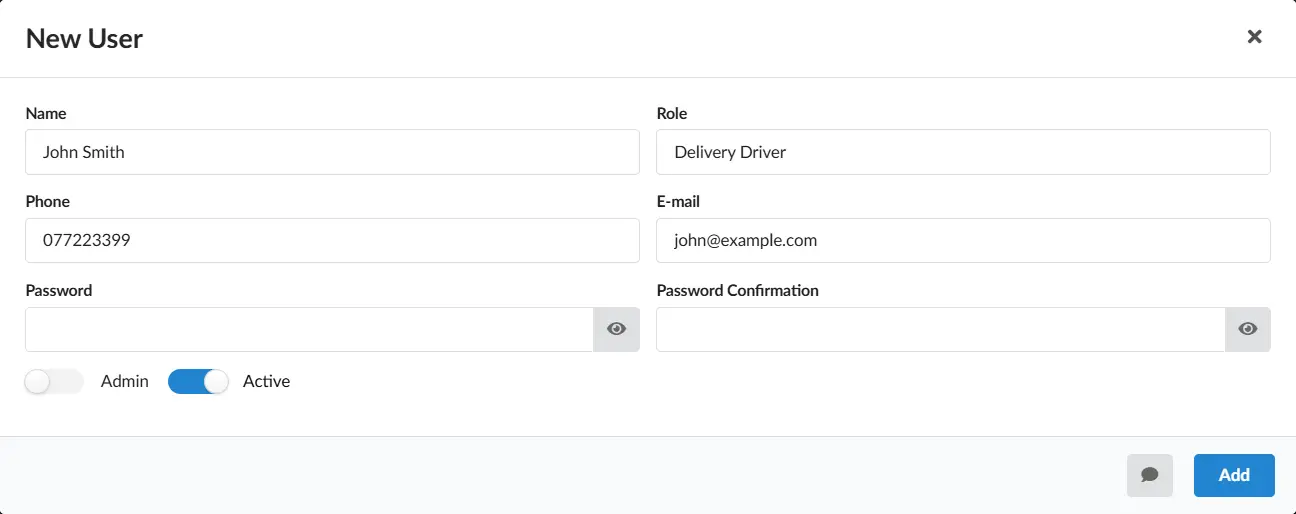
Start by adding the people who will be using Quick Docket. Create an account for each member of your team and they can immediately be given access to the parts of the system they need.
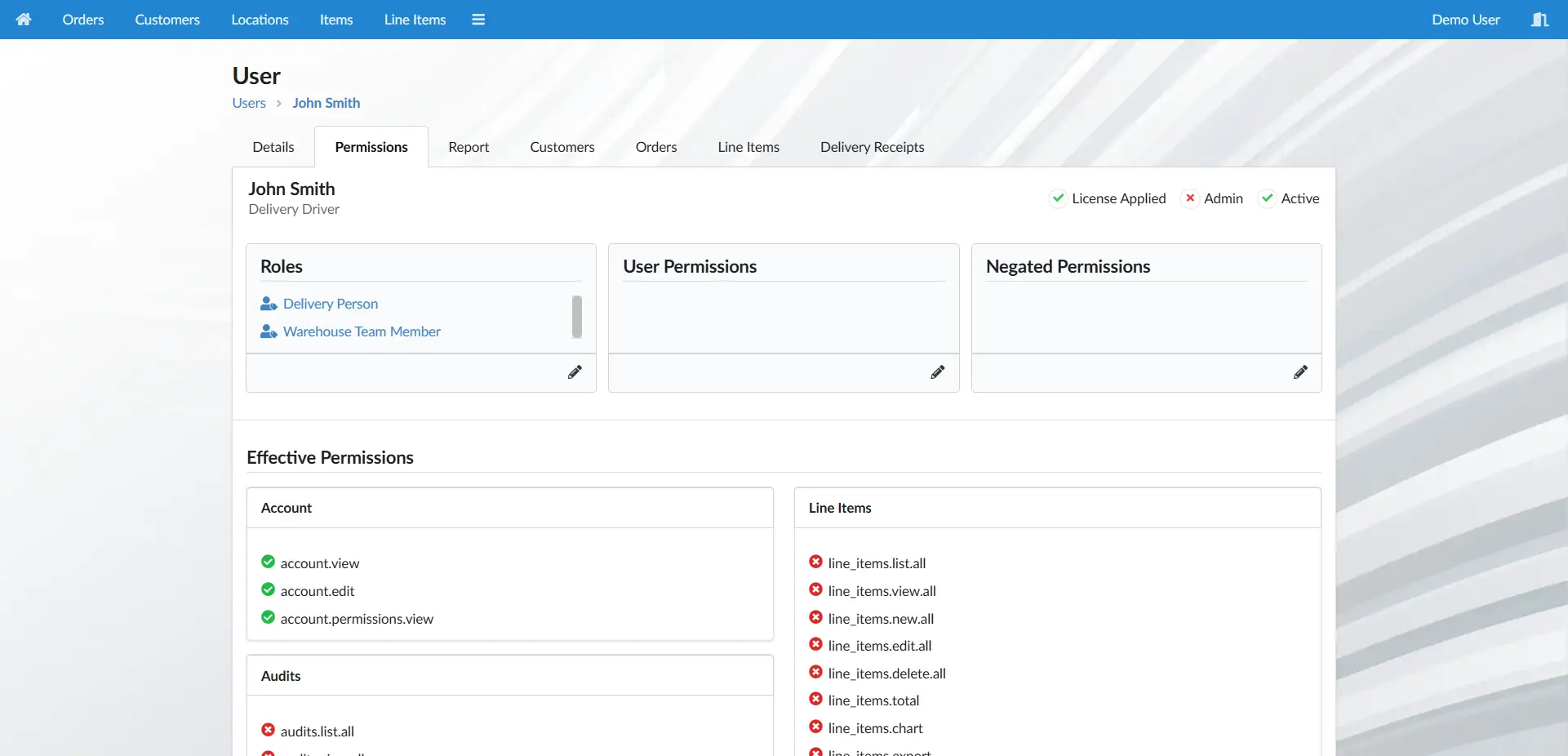
Quick Docket comes with ready-made roles for common jobs, so you don't have to build your permission structure from scratch. Give a delivery driver the appropriate role, for example, and they'll see the tools and information relevant to their work.
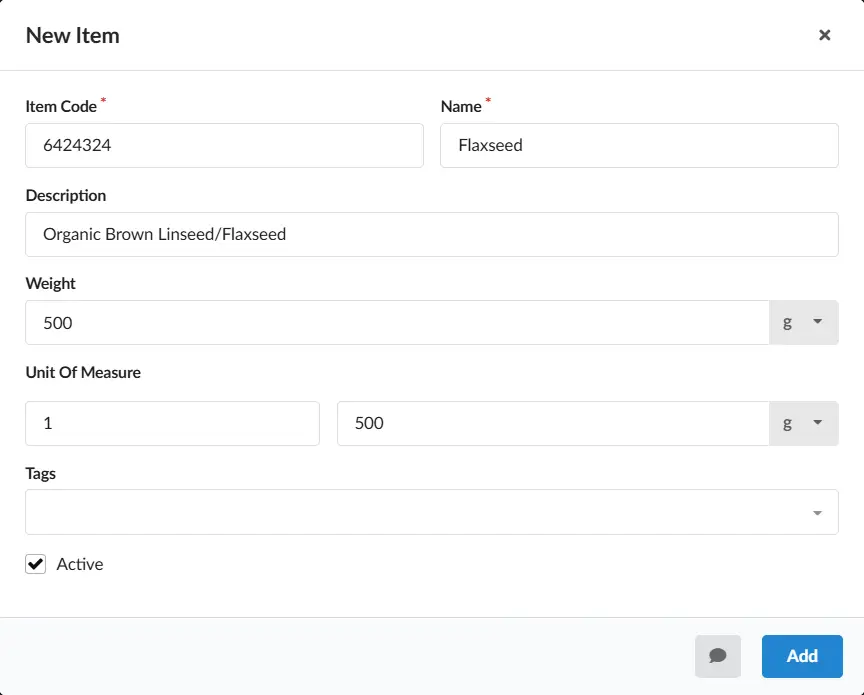
Add the products you sell, along with their basic details. If you have a large product list, you can import it using a CSV file rather than entering everything individually. Default prices can be added at the same time if you want to have them ready for your first orders.
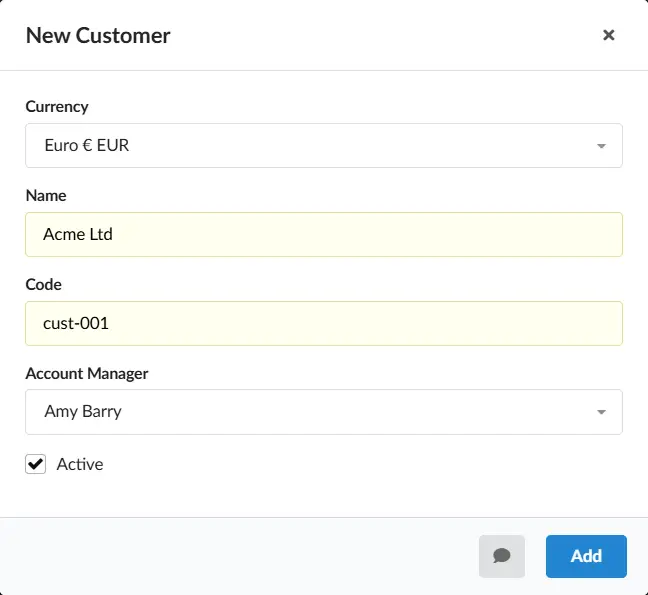
Add your customers so they're ready to use when creating orders. And, just like products, an existing customer list can be imported in bulk using a CSV file, making it quick to bring your existing records into Quick Docket.
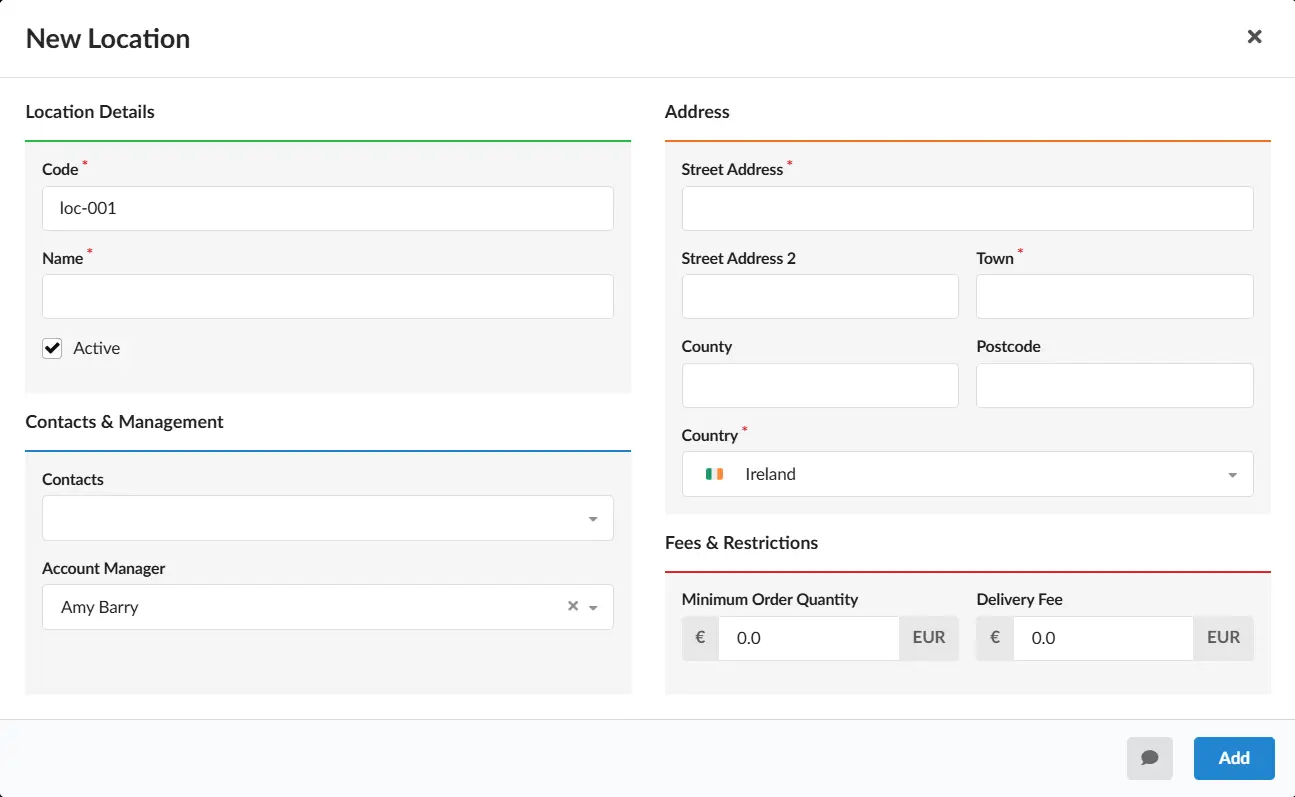
Add the locations where your customers receive their orders. These can also be imported in bulk, so even businesses with a large number of delivery locations can get the essentials in place quickly.
That's all you need to get started. Your users are set up, your products and customers are ready, and your delivery locations are in place. You can now start creating and processing orders in Quick Docket.
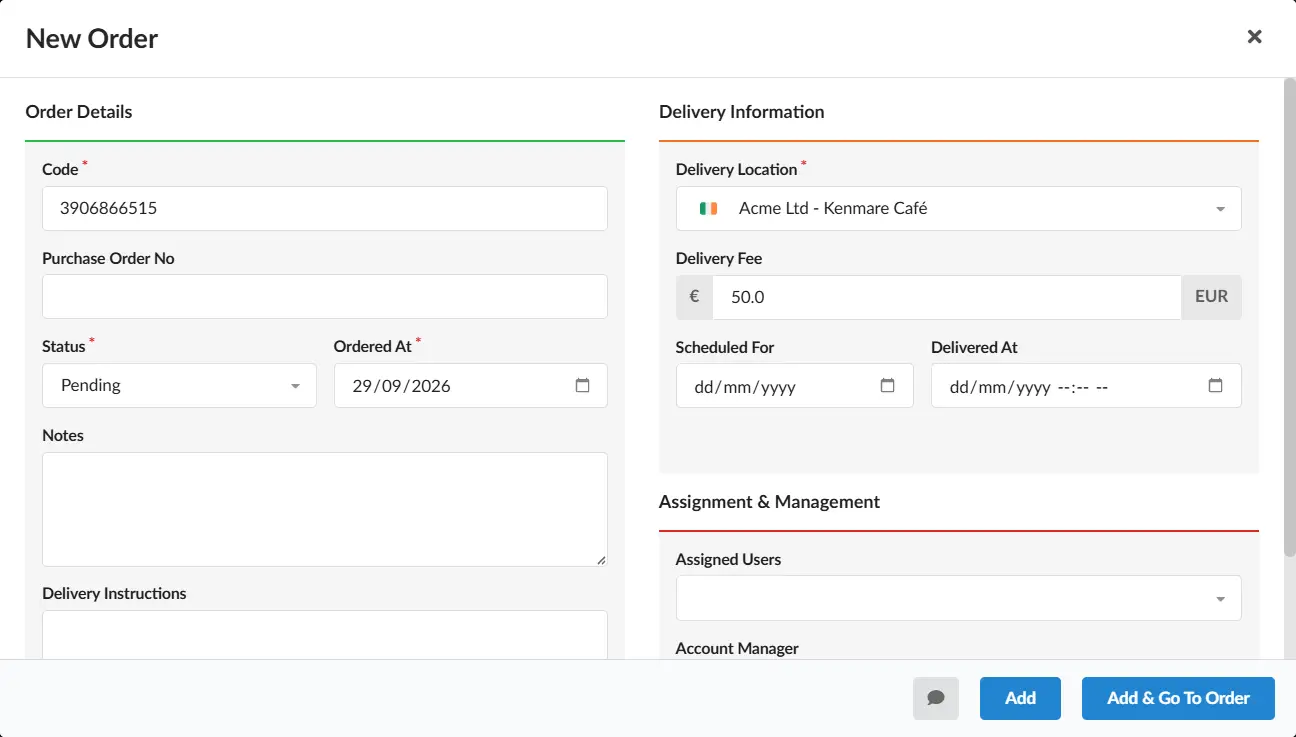
In around 15 minutes, you’ve gone from managing your operation across spreadsheets and separate tools to having a connected system for managing your orders, customers and deliveries. You can start taking orders immediately, without a lengthy implementation process, significant expense or months of waiting for the system to be ready.
Of course, there’s much more you can do with Quick Docket once you’re up and running. You will probably want to add contacts, tags, more detailed pricing, historical data and other information. As you add these, you’ll unlock more of the information, automation and visibility that Quick Docket can provide.
The important thing is that you don’t have to do all of that before you can start benefiting from the system. You can build out Quick Docket alongside your day-to-day operation, adding more detail as it becomes useful to you rather than trying to complete everything upfront.
And while the process is designed to be simple, you’re not left to figure it all out yourself. We’ll be there to help you get the most from the system as you build it around your business.
Imagine getting through the day without chasing information, searching for paperwork, or wondering whether something has been dealt with.
Instead of asking what's happening, you already know.
Here's what that can look like.
| Before | After |
|---|---|
| “Has that order gone out yet?” | “That order is currently in transit with John.” |
| “Are we even making any profit on this?” | “We're averaging a 44.4% margin this month.” |
| “Where's the proof of delivery?” | “John delivered the order to Steve on Tuesday.” |
| “What deliveries are going out today?” | “I've got 18 deliveries going out today.” |
| “Has this customer stopped ordering?” | “They normally order every 15 days. It's been 20.” |
| “Has someone dealt with that?” | “It's been assigned and is already being dealt with.” |
Every day spent managing orders, paperwork and information manually has a cost — in time, mistakes and missed opportunities.
Quick Docket can help you reduce that cost without a complicated software project.
Join us for a 10-minute online demonstration to explore how Quick Docket could fit into your business. No obligation.
Book Demo