 QuickDocket
QuickDocket
QuickDocket
Processing orders is at the heart of any distribution business. When orders are handled quickly and accurately, everything that follows becomes easier — from preparing the warehouse to planning deliveries and keeping customers informed.
Quick Docket keeps the process simple. An order can be created in seconds, then moved through each stage of its journey without paperwork, spreadsheets or complicated workflows getting in the way. And because everyone works from the same order, your team always knows what needs to happen next.
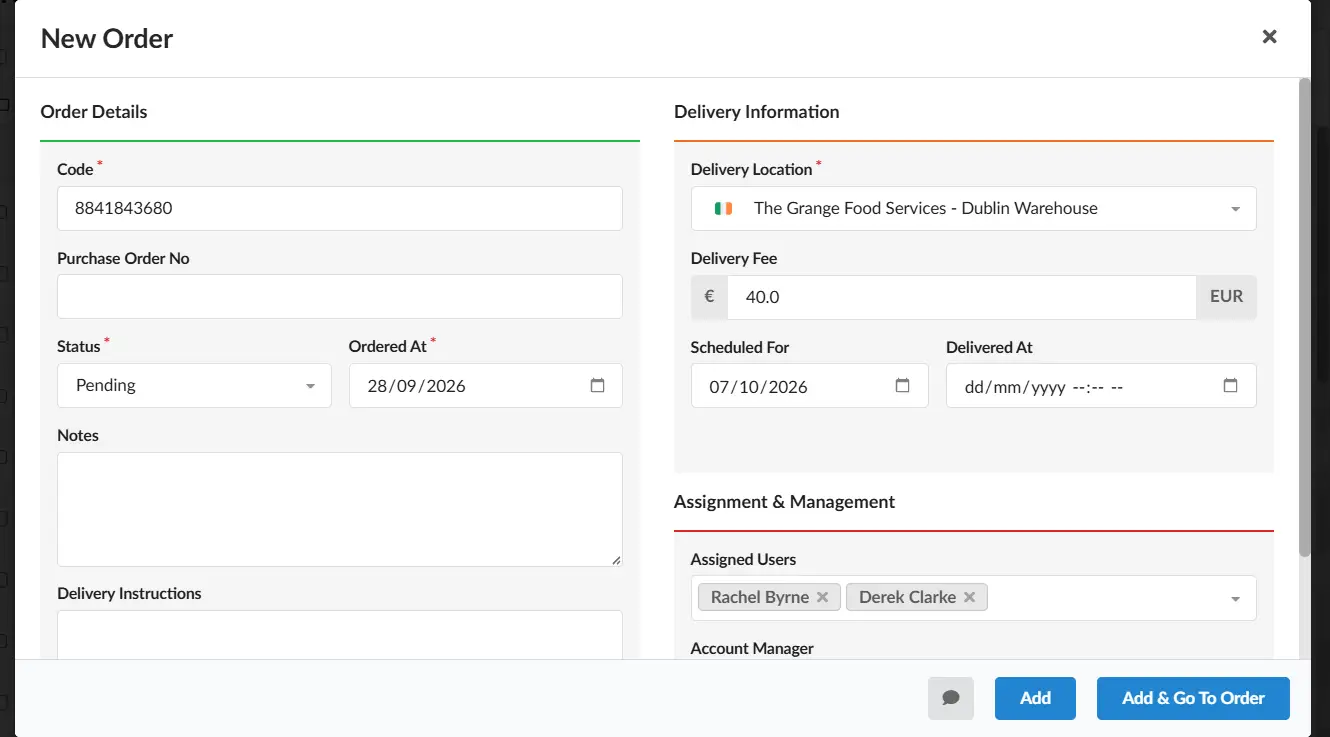
Creating an order takes just a few moments. Select the customer and delivery location, enter the details, and you’re ready to go. The straightforward form keeps the process quick without leaving out the information you need.
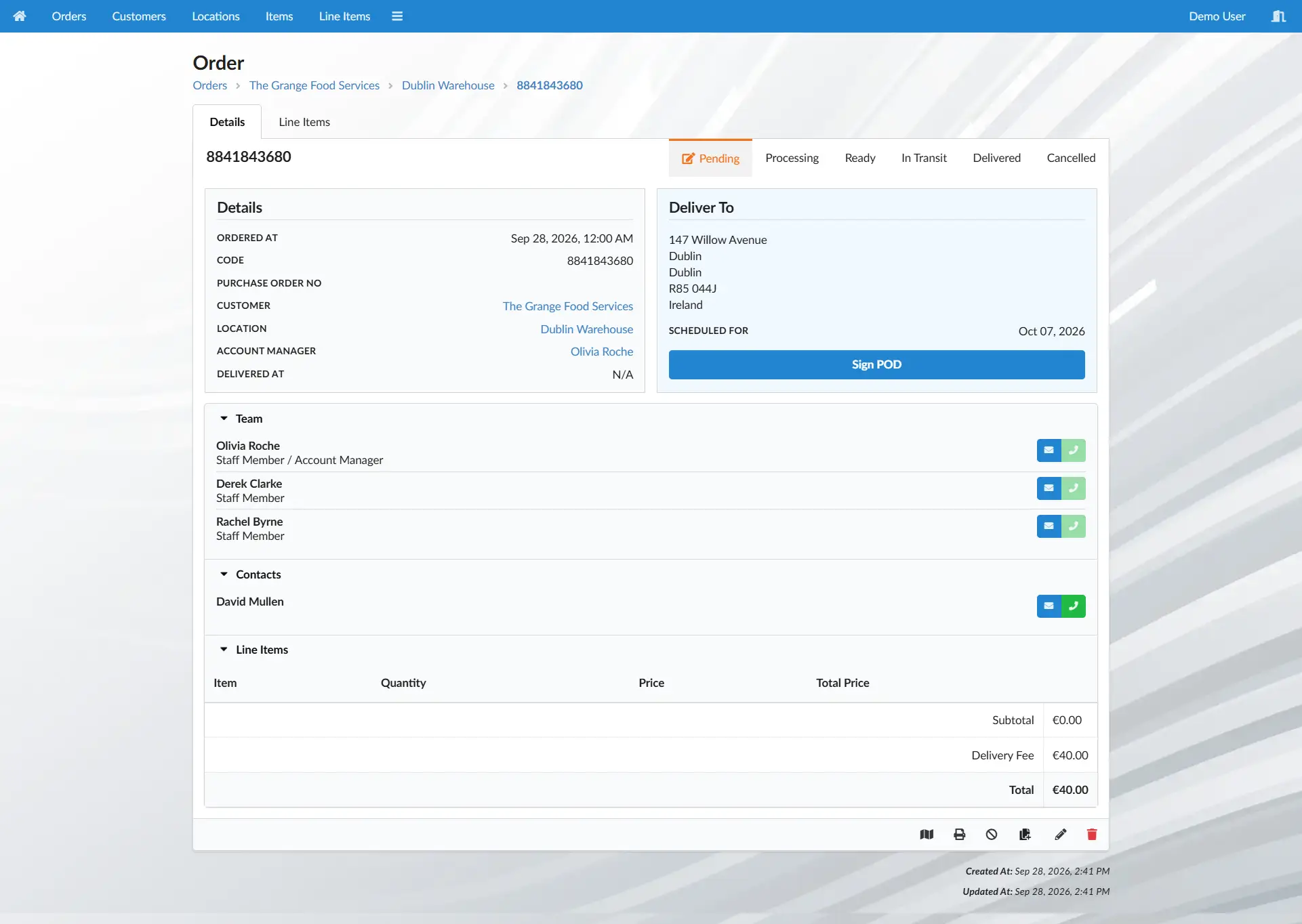
The new order is now ready to be finalised. A clear, uncluttered order page puts all the important details in one place, so you can see the customer, delivery information and current status at a glance. From here, it’s easy to add the items and finalise the order.
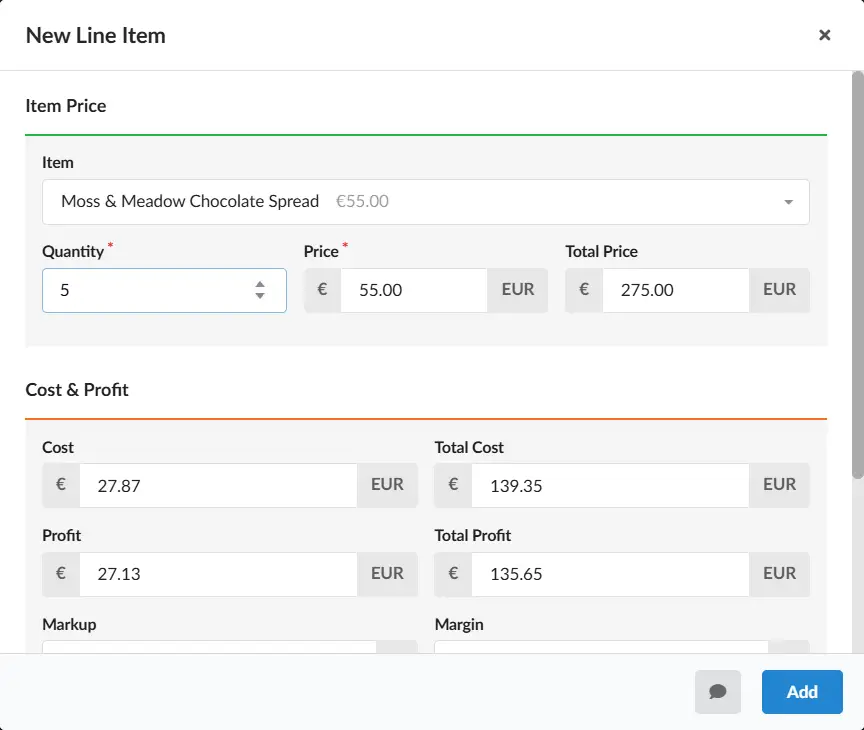
Adding products is straightforward. Select an item and Quick Docket automatically applies the correct price for that customer, saving time and reducing the chance of pricing errors. Need to hit a specific margin? Simply change the margin and Quick Docket adjusts the price automatically.
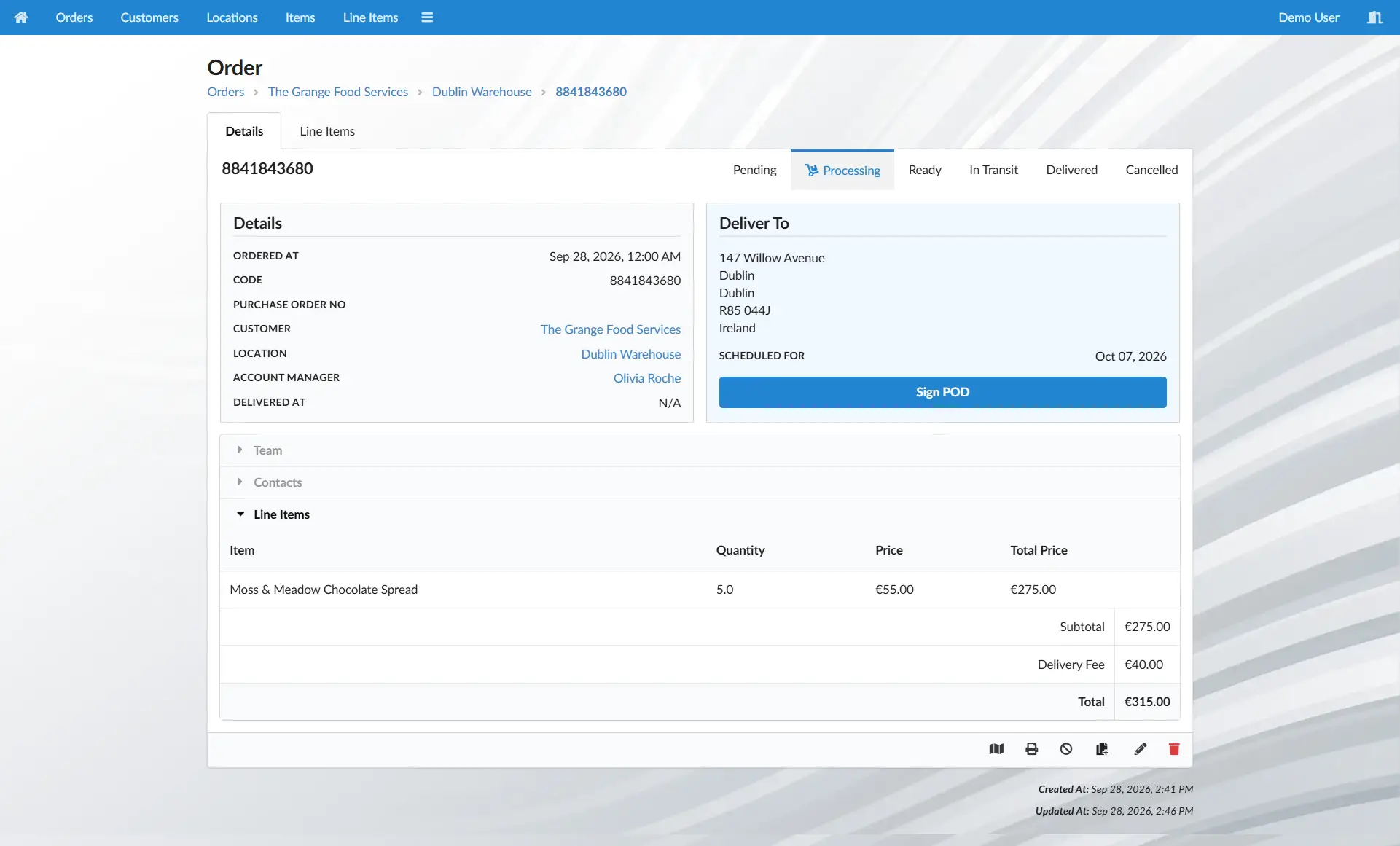
Once the order is finalised, mark it as processing and it becomes visible to the warehouse team. There’s no need to print an order or pass information between people — the team can see what needs to be prepared and get on with it.
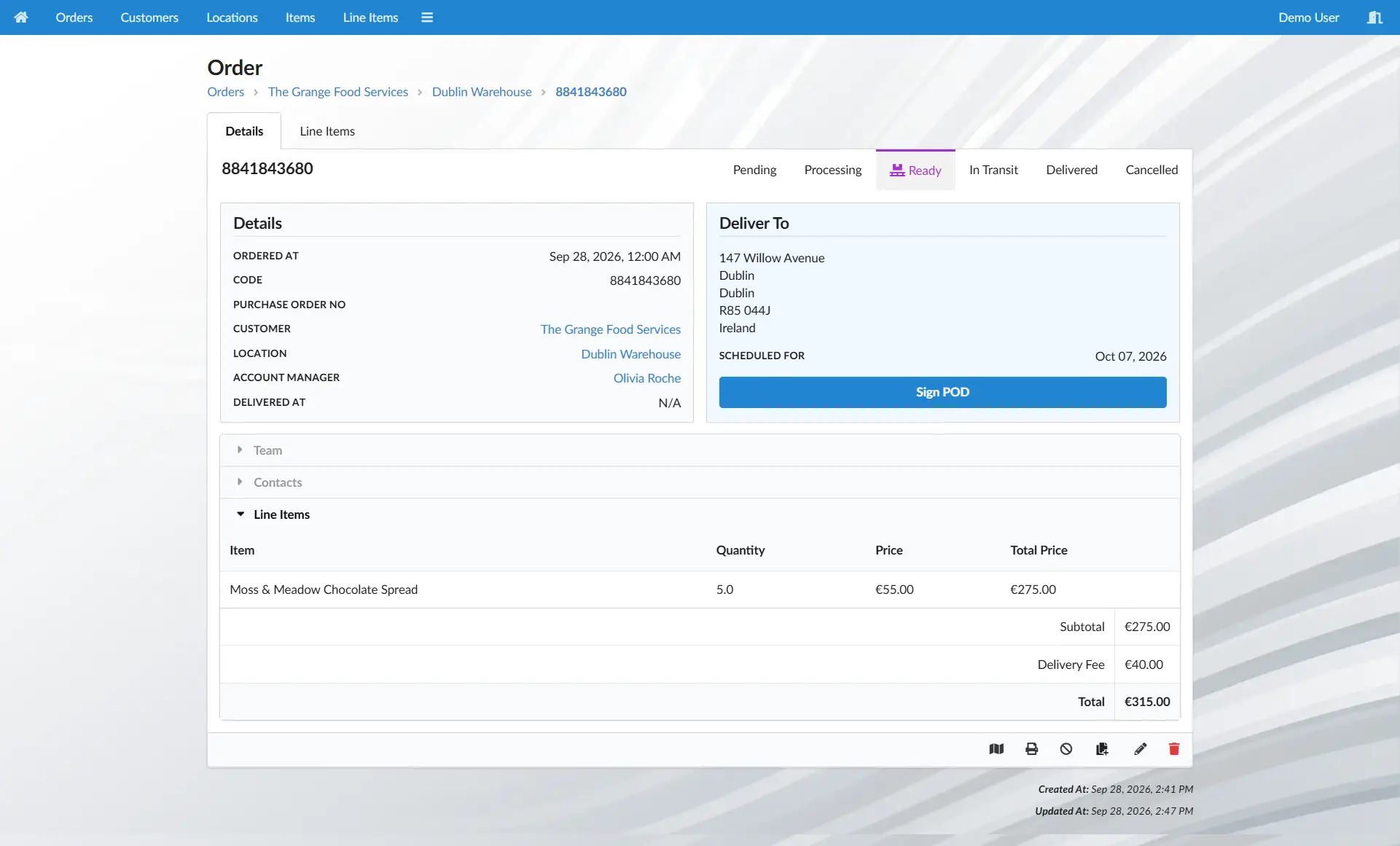
When the order is ready, mark it as ready for delivery. It immediately becomes part of the delivery team's workload, giving them a clear view of what needs to go out and when. Instead of piecing together delivery lists, they can start the day with a clear picture of what’s ahead.
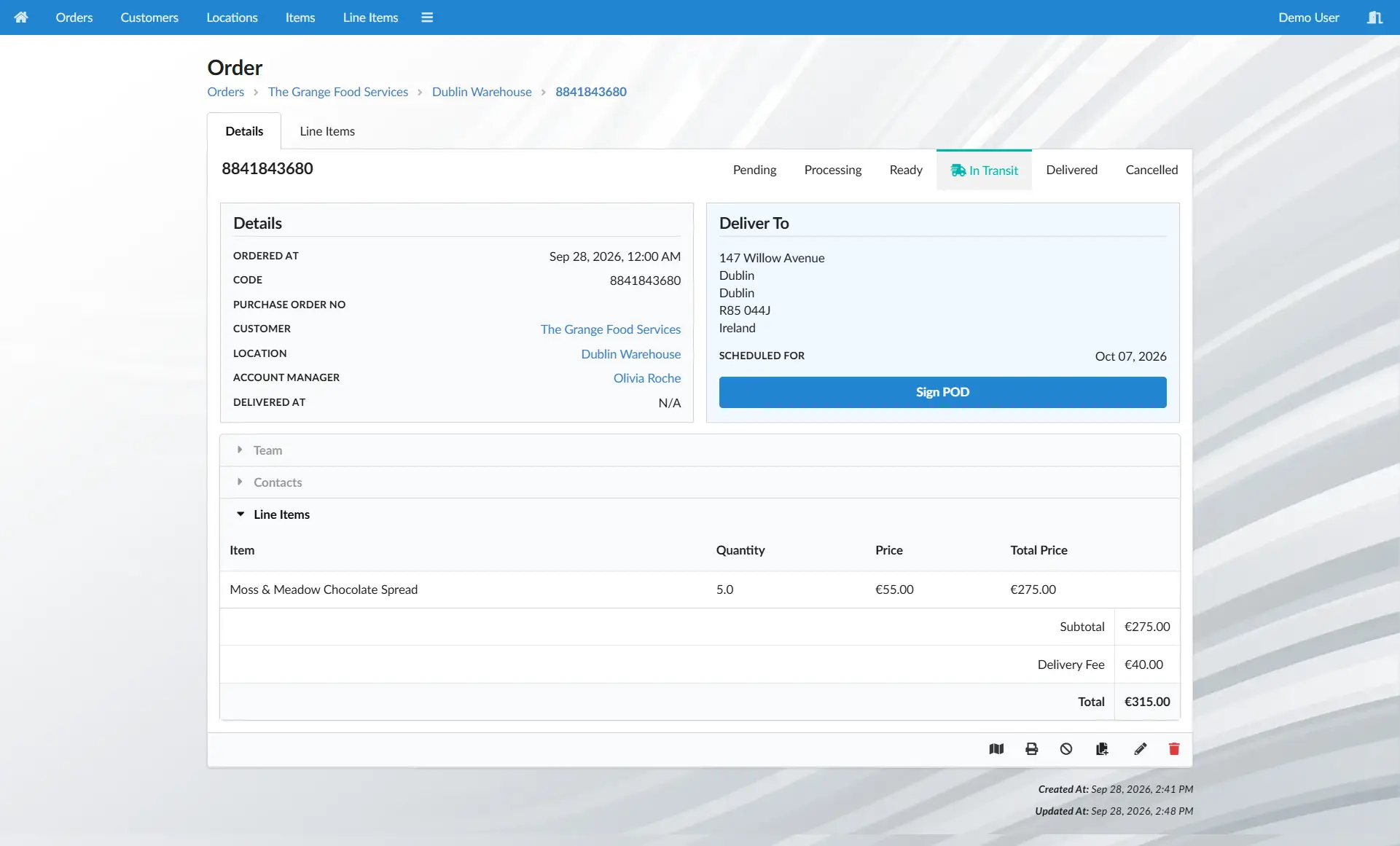
When the delivery leaves, mark it as in transit. Everyone can now see that the order is on its way, giving the office and the rest of the team a simple, up-to-date view of what’s happening without having to make calls or check paperwork.
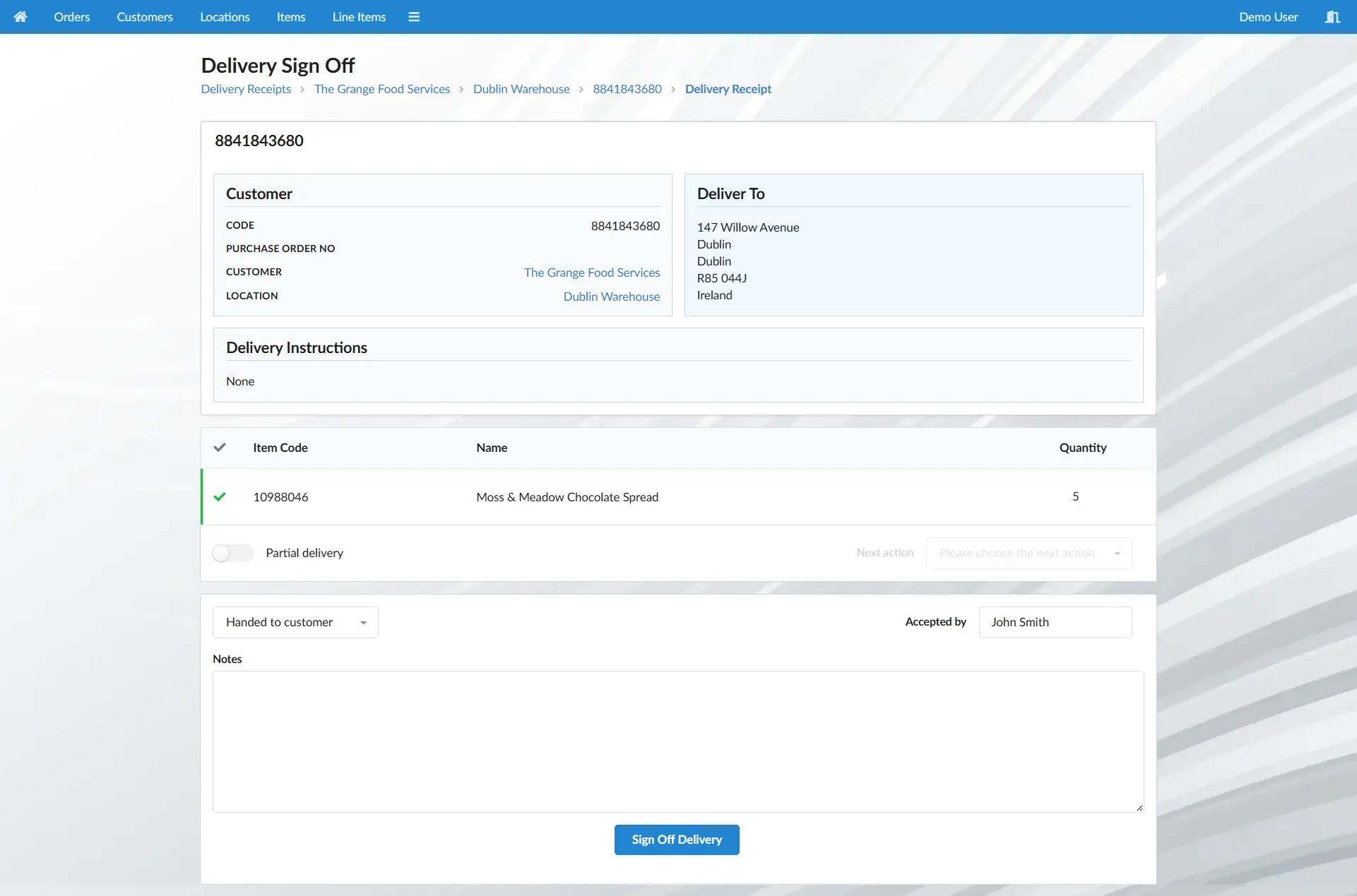
Once the order reaches the customer, the delivery is completed with a quick proof of delivery. The result is more than a completed order — you have a clear record of what was delivered, when it was delivered and how the delivery was confirmed.
And that’s the whole journey — from creating the order to having a completed delivery record.
What makes the process useful isn't just that each step is simple. The information captured along the way stays connected, giving you a reliable record of what happened without anyone having to piece it together afterwards.
And that order doesn't disappear once the delivery is complete. It becomes part of the bigger picture, giving you the information you need to understand your sales, customers, deliveries and margins — and make better decisions about the business.
You're probably thinking you don't have time to set up a new admin system. You're busy running your business, and you know that an enterprise system can mean months of meetings, revisions and expense before you can even process your first order.
Quick Docket gets you started in minutes, not months. Get the essentials in place and start processing orders without the wait.
See how it worksImagine getting through the day without chasing information, searching for paperwork, or wondering whether something has been dealt with.
Instead of asking what's happening, you already know.
Here's what that can look like.
| Before | After |
|---|---|
| “Has that order gone out yet?” | “That order is currently in transit with John.” |
| “Are we even making any profit on this?” | “We're averaging a 44.4% margin this month.” |
| “Where's the proof of delivery?” | “John delivered the order to Steve on Tuesday.” |
| “What deliveries are going out today?” | “I've got 18 deliveries going out today.” |
| “Has this customer stopped ordering?” | “They normally order every 15 days. It's been 20.” |
| “Has someone dealt with that?” | “It's been assigned and is already being dealt with.” |
Every day spent managing orders, paperwork and information manually has a cost — in time, mistakes and missed opportunities.
Quick Docket can help you reduce that cost without a complicated software project.
Join us for a 10-minute online demonstration to explore how Quick Docket could fit into your business. No obligation.
Book Demo